

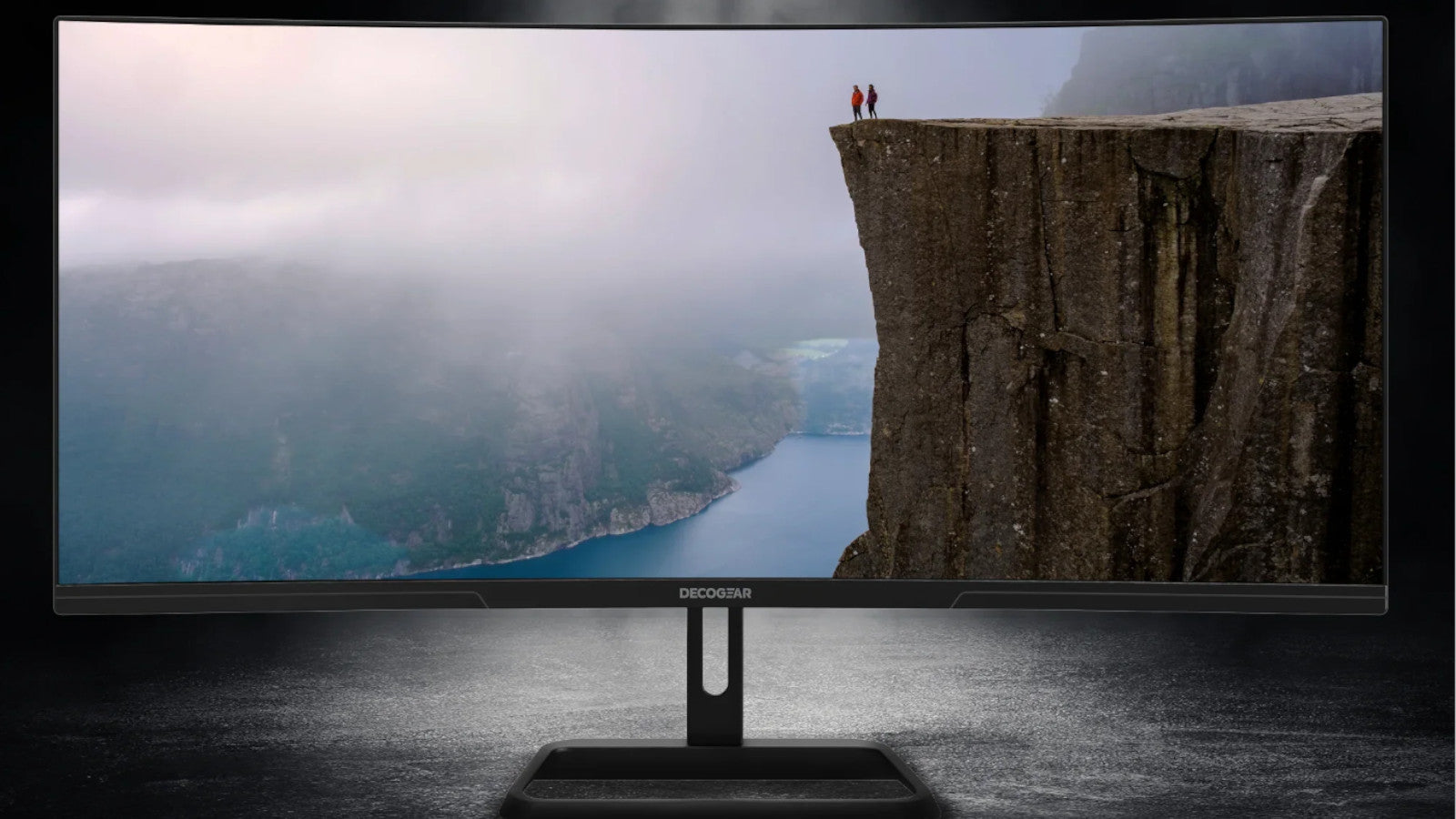
In today’s workflow-driven world, display choice matters. A 34-inch ultrawide brings the clarity, space, and comfort that elevate everything from office tasks to gaming and creative work. If you’ve been asking why a 34 monitor is the perfect size, it comes down to balance—ample horizontal room, a modern aspect ratio, and an ergonomic fit that integrates seamlessly into most desks. With the right resolution and performance features, an ultra wide 34 inch monitor delivers an immersive, productive experience without overwhelming your workspace.
From home offices to gaming battlestations, 34 inch ultrawide monitors feel natural and refined. You gain the fluidity of a dual-display setup in one continuous canvas, all while maintaining a tidy, cohesive desk layout. That’s why a 34 monitor is the perfect size for users who crave more room to work and play—without the bulk.
Understanding Monitor Size and Aspect Ratio
Monitor size refers to the diagonal measurement of the panel in inches, excluding the bezels. While the diagonal gives you a quick sense of the display, computer monitor screen size feels different depending on the aspect ratio. Traditional 16:9 panels are taller relative to their width, whereas 21:9 ultrawide panels expand your horizontal view while keeping vertical height comfortable and familiar.
This expanded width is where an ultra wide 34 inch monitor shines. You’ll have space for broader timelines, layered toolbars, and panoramic game views—without stacking or constantly switching windows. The result is a smoother, more intuitive workflow that mirrors your natural field of vision.
Compared to 27" and 32" 16:9 models, 34 inch ultrawide monitors provide a wider canvas that often feels like using two smaller displays side by side. Deco Gear’s 34-inch options pair this expansive layout with high refresh rates, adaptive sync, and thoughtfully tuned curves that help your eyes track content comfortably. When you match the diagonal with the 21:9 shape, you get a computer monitor screen size that maximizes usable space and minimizes friction.

Benefits of a 34" Monitor for Productivity
Productivity thrives on clarity and organization. A 34-inch ultrawide lets you arrange multiple apps across a single, continuous surface—no more juggling or overlapping windows. Keep a document beside a spreadsheet, add a chat panel and browser, and maintain a cohesive workspace that keeps you in the zone.
• Enhanced multitasking: Place two or three apps side by side and track tasks in parallel without losing context.
• Organized workflows: Keep email, calendars, dashboards, and creative tools visible at once for faster task switching.
• Professional clarity: Editors, analysts, developers, and managers gain wide views of data, code, and timelines with less scrolling.
• Creative advantages: Video editors see longer timelines, designers get room for palettes and layers, and photographers compare edits and references with ease.
• Gaming and entertainment: Wider fields of view add immersion, and cinematic content looks striking across the broader frame.
Ultimately, why a 34 monitor is the perfect size comes from the harmony of width, resolution, and ergonomics. With enough horizontal space to keep everything in view and text that stays crisp, an ultra wide 34 inch monitor helps you maintain focus throughout the day.
Ideal Use Cases for a 34" Monitor
Versatile by design, 34 inch ultrawide monitors excel in workflows that demand visibility and continuity. If you balance multiple responsibilities or prefer a unified space for deep work, this size delivers a noticeable upgrade that still feels approachable.
• Gaming: Supported titles benefit from the wider field of view for greater awareness and immersion. Pair Deco Gear models with fast response times and higher refresh rates for smoother action.
• Design and creative work: Spread out timelines, toolsets, and reference materials across the width to keep essential controls within reach.
• Office productivity: View documents, spreadsheets, and web apps side by side to reduce clicks and context switching.
• Remote work: Keep video calls, notes, and project resources open concurrently and collaborate without reshuffling windows mid-meeting.
• Content consumption: Streams and films look captivating, and you can browse or annotate without losing the main view.
Weighing a dual-monitor setup versus a single ultra wide 34 inch monitor? A single large panel eliminates bezel gaps, reduces cables, and keeps your sightline clear. You retain the space—often comparable to two smaller displays—with less visual fragmentation.
Factors to Consider When Choosing a Monitor Size
To decide why a 34 monitor is the perfect size for your space, start with desk depth and layout. A 34-inch ultrawide fits most standard and corner desks, and a viewing distance of about 24–36 inches keeps the full width comfortably in view. Deco Gear stands use compact footprints, leaving room for keyboards, speakers, and accessories.
Ergonomics matter. Position the top of the screen at or just below eye level, centered with your seat. VESA mounting support on many Deco Gear displays allows precise height, tilt, and swivel adjustments—helping reduce neck and shoulder strain during long sessions.
Personal workflows should guide your specs. Multitaskers will love how this computer monitor screen size reduces app switching. Creators benefit from wide timelines and accessible palettes, while gamers enjoy broader perspectives. Explore Deco Gear’s 34 inch ultrawide monitors to match refresh rate, resolution, panel type, and curvature to your needs.
Resolution, Panel Technology, and Curvature
Image quality and motion performance define the experience. For 34 inch ultrawide monitors, 3440×1440 is a popular resolution that keeps text crisp and details clear, even when you split the screen into multiple zones. It’s a smart sweet spot for productivity and content creation on a larger canvas.
Panel choice shapes color and contrast. IPS typically offers accurate color and wide viewing angles—great for design and media work. VA panels emphasize deep contrast, enhancing dark scenes and cinematic content. Look for strong color coverage and calibration options to align with your workflow.
Curvature adds comfort by gently wrapping the image toward your natural line of sight. A well-tuned curve reduces eye movement across the width and enhances immersion in supported games and full-width timelines—an advantage you’ll feel on an ultra wide 34 inch monitor.

Connectivity and Compatibility Considerations
Versatility starts with ports and bandwidth. Ensure your setup supports high-resolution, high-refresh connections via DisplayPort or HDMI. Multiple inputs let you switch between a workstation, laptop, or console with ease, while integrated USB hubs and audio passthrough streamline cable management for a cleaner desk.
Adaptive sync technologies align refresh rate with your GPU output to reduce screen tearing and stutter. For fast motion—whether gaming or scrubbing timelines—these features contribute to a smoother, more consistent picture on this computer monitor screen size.
Practical Setup Tips for a 34" Ultrawide
A few simple tweaks make a big difference with 34 inch ultrawide monitors:
• Positioning: Center the display with the top edge at or slightly below eye level to encourage natural posture.
• Distance: Sit about 24–36 inches away to take in the entire width without frequent head turns.
• Mounting: Use VESA arms to fine-tune height, tilt, and swivel and reduce strain during long sessions.
• Scaling: Adjust OS scaling so text and UI stay readable when multitasking.
• Layout: Use window management tools to create consistent side-by-side app arrangements.
Dialing in these settings lets an ultra wide 34 inch monitor feel effortless from day one.
Frequently Asked Questions About 34" Monitors
• What’s the difference between a 34-inch and a 32-inch monitor?
A 34-inch in 21:9 offers more horizontal room than a 32-inch 16:9 display, making side-by-side apps feel natural. Vertical height can be similar, but the added width on 34 inch ultrawide monitors creates a workspace closer to dual screens—without the bezel break.
• Are there any drawbacks to a 34-inch ultrawide?
Plan for desk depth and a viewing distance of 24–36 inches. Some apps and games may not fully support ultrawide resolutions, though compatibility continues to improve. With thoughtful scaling and window management, most users find the experience smooth and intuitive.
• What features should I prioritize?
Consider 3440×1440 resolution for crisp text, IPS or VA depending on color accuracy versus contrast, a refresh rate that suits your tasks and games, adaptive sync support, a well-chosen curve, and robust connectivity (DisplayPort, multiple HDMI, and USB hubs). Ergonomic stands or VESA mounting are key for comfort.
Who Benefits Most From a 34" Monitor?
Anyone who juggles multiple windows and values a cohesive, clutter-free view will appreciate an ultra wide 34 inch monitor. Professionals keep essential materials visible without constant switching. Creators enjoy larger previews and persistent tool palettes. Gamers gain immersive perspectives when paired with capable hardware.
For those upgrading from smaller screens, 34 inch ultrawide monitors unlock meaningful space—more detail at a glance, fewer clicks to find what you need, and a cleaner, calmer environment that helps maintain focus.
Why a 34" Monitor Feels Just Right
The sweet spot comes from width without excess. You get the fluidity of dual screens in a single pane, plus the comfort to view everything at once. With proper ergonomics, the image feels natural edge to edge. That’s why a 34 monitor is the perfect size for modern setups—expansive yet manageable, powerful yet approachable.
Deco Gear’s lineup embodies this balance with strong performance specs, ergonomic designs, and features that enhance everyday use. Whether optimizing a home office, refreshing a creative station, or building a gaming rig, an ultra wide 34 inch monitor adds ease and capability you’ll feel immediately.
Conclusion: The Value of a 34" Monitor
From 21:9 breadth and thoughtful ergonomics to sharp resolution and smooth motion, a 34-inch ultrawide delivers the right mix of space and comfort for today’s computing. It streamlines multitasking, clarifies complex workflows, and heightens entertainment with a wider field of view.
• Key advantages: Wide horizontal space reduces overlap, boosts productivity, and increases creative and gaming immersion.
• Best use cases: Ideal for remote work, design and media tasks, office productivity, and ultrawide-supported gaming.
• Next steps: Explore 34 inch ultrawide monitors at decogear.com and choose the right blend of resolution, panel type, refresh rate, curvature, and connectivity for your setup.
If you’re seeking a display that feels natural across tasks, now is the time to experience why a 34 monitor is the perfect size. It’s big enough to transform your day and refined enough to fit your space—an outstanding choice for working smarter, creating comfortably, and enjoying content on a broader, more engaging canvas.

Share:
What is an FHD Monitor? Understanding Full HD Technology
Common Monitor Issues and Fixes